THJCC 2026 Summer — Official Writeup
· Updated: Aug 16, 2026 · CTF, THJCC, Forensics, WriteUp
Table of contents
This is my official writeup for the NoNo challenge I made for THJCC 2026 Summer. It
is a log-analysis forensics task, and the whole point is to not get baited by the
noise.
NoNo
Our SOC pulled the HTTP logs off chal.thjcc.org after an alert fired overnight. Find the secret message within these logs :)
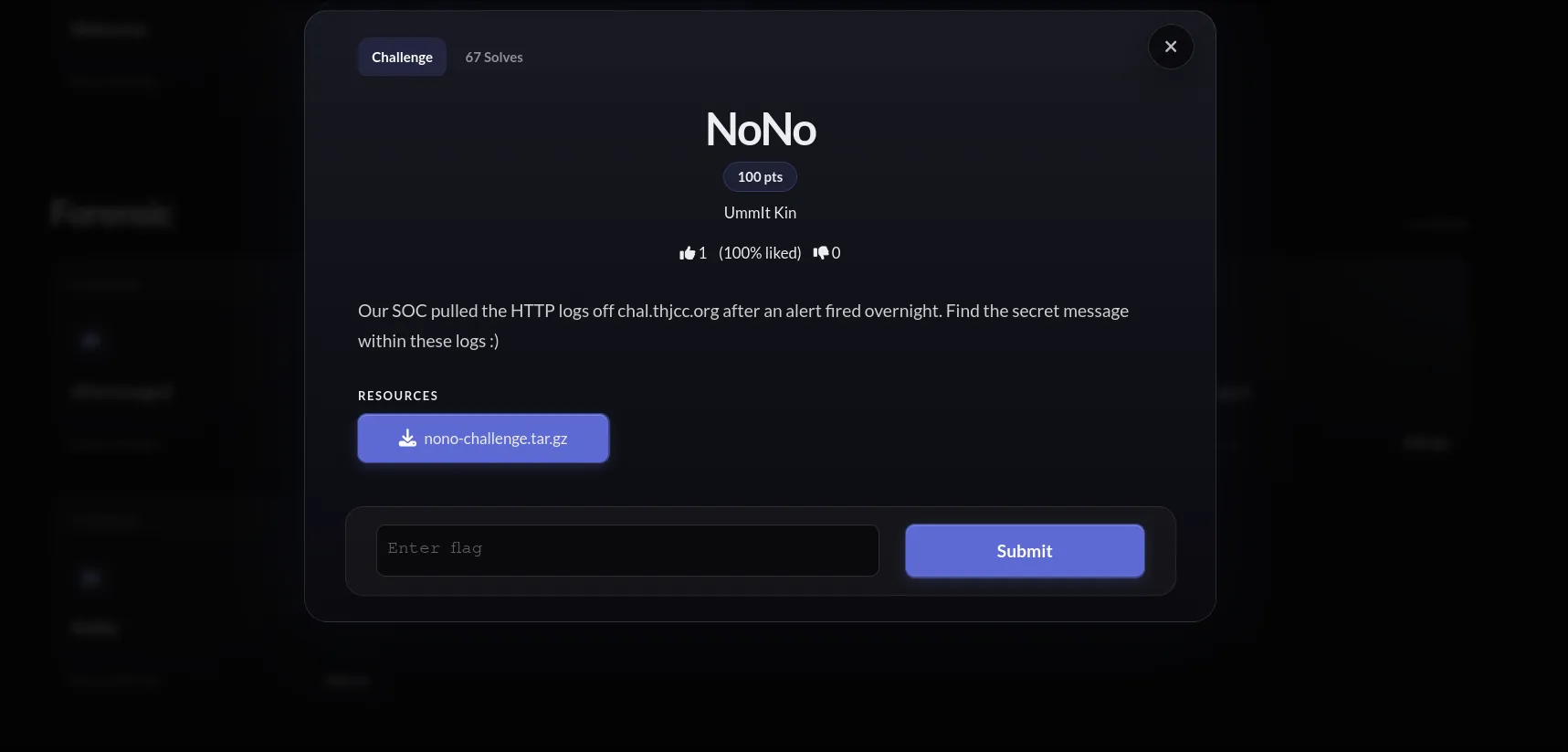
| Difficulty | Easy |
| Flag | THJCC{f0ll0w_th3_str34m_2_th3_h1dd3n_r3p0rt} |
The files you get
nono-challenge.tar.gz unpacks to four files, three logs and a capture:
| File | Purpose |
|---|---|
nginx-access.ndjson |
ECS-format nginx access log, the main surface |
portal-app.ndjson |
application-layer log |
modsec-waf.ndjson |
ModSecurity WAF log |
capture.pcap |
500-packet HTTP capture of the same traffic, for optional confirmation |
The logs are ndjson, one JSON object per line, so you can throw them into ELK, use
jq, or just open them and read. I go with jq below.
I made the logs deliberately loud. They are stuffed with scary-looking attacker noise and fake leads:
| Type | Contents |
|---|---|
| CVE / attack noise | Log4Shell, Spring4Shell, Confluence OGNL, SQLi, SSRF to 169.254.169.254, stored XSS, a /api/ping command-injection chain |
| Fake flag endpoints | /flag, /api/v1/flag, /.git/config |
| Look-alike trap | /s3cr3t/report (ordinary o, one character off the real rep0rt) |
None of these give you the flag. They are just there to bury the signal and see if you get pulled around by keywords.
Analysis
There is really only one thing that matters. Almost every request in the logs hits
the public vhost chal.thjcc.org:50000, and exactly one hits an internal vhost,
internal.portal. Count the distinct values of url.domain and that anomaly pops
out by itself.
That one internal request is GET /s3cr3t/rep0rt (note the zero in rep0rt),
returning HTTP 200. internal.portal is an internal vhost name you cannot reach from
outside, but it is the same box as the public server, so you keep the path and just
swap the host for the public domain you were given.
Solution
Count url.domain with jq. Everything is chal.thjcc.org:50000 except one hit,
internal.portal, which is GET /s3cr3t/rep0rt, HTTP 200, from source 10.0.2.15,
with url.full: http://internal.portal/s3cr3t/rep0rt:
$ jq -r '.["url.domain"]' nginx-access.ndjson | sort | uniq -c

# Output
    499 chal.thjcc.org:50000
      1 internal.portal

$ jq -c 'select(.["url.domain"]=="internal.portal")' nginx-access.ndjson

# Output
{"@timestamp":"2025-08-15T03:13:24Z","event.dataset":"nginx.access","source.ip":"10.0.2.15","destination.ip":"172.67.74.226","url.domain":"internal.portal","http.request.method":"GET","url.path":"/s3cr3t/rep0rt","url.original":"/s3cr3t/rep0rt","url.full":"http://internal.portal/s3cr3t/rep0rt","http.response.status_code":200,"http.response.body.bytes":46,"user_agent.original":"Mozilla/5.0","message":"10.0.2.15 - internal.portal \"GET /s3cr3t/rep0rt HTTP/1.1\" 200 46"}
If you want to confirm it against the pcap, Follow HTTP Stream in Wireshark on the
request with Host: internal.portal shows the same GET /s3cr3t/rep0rt.
Then just hit that path on the live portal and you get the flag. One small gotcha:
without the trailing slash nginx replies 301 Moved Permanently, so remember to add
the slash to actually land on the report page:
$ curl http://chal.thjcc.org:50000/s3cr3t/rep0rt/

# Output
<!DOCTYPE html><html lang="en"><head><meta charset="utf-8"><meta name="viewport" content="width=device-width"><title>Internal Report</title>...</head><body ...><header ...><span class="font-mono text-sm text-neutral-400">internal.portal</span><span class="ml-auto text-xs text-neutral-600 font-mono">INTERNAL REPORT · CONFIDENTIAL</span></header><main ...><div ...><p class="text-xs text-neutral-600 font-mono mb-1">// internal use only</p><h1 ...>Quarterly Access Report</h1><div ...><p class="text-xs text-neutral-500 mb-2">report token</p><code class="text-emerald-400 break-all">THJCC{f0ll0w_th3_str34m_2_th3_h1dd3n_r3p0rt}</code></div></div></main></body></html>
The report page renders a “Quarterly Access Report”, and that report token is the
flag. If you cannot be bothered reading the HTML, one grep grabs it:
$ curl -s http://chal.thjcc.org:50000/s3cr3t/rep0rt/ | grep -o "THJCC{[^}]*}"

# Output
THJCC{f0ll0w_th3_str34m_2_th3_h1dd3n_r3p0rt}
Flag: THJCC{f0ll0w_th3_str34m_2_th3_h1dd3n_r3p0rt}
Source code
Full challenge source is on my repo: UmmItKin/CTFs-chal · THJCC 2026 Summer/NoNo. The flag page is a plain Astro page that only exists at the leaked path, so there was never anything to brute-force, you just had to find the path in the logs:
---
// Hidden flag page — reachable only via the path leaked in capture.pcap.
const FLAG = 'THJCC{f0ll0w_th3_str34m_2_th3_h1dd3n_r3p0rt}'
---

<!-- ... -->
<code class="text-emerald-400 break-all">{FLAG}</code>
The trailing-slash 301 is just the Astro directory build plus nginx try_files:
# Astro 'directory' build: /s3cr3t/rep0rt -> /s3cr3t/rep0rt/index.html
location / {
    try_files $uri $uri/ $uri.html =404;
}
Closing thoughts
This is a pretty simple log-analysis task, which felt about right for THJCC. I was not trying to make it too hard. I just wanted players to practice one thing: volume is not signal. A wall of scary CVE names is easy to chase for an hour, but the anomaly that actually matters is quiet, just that one request to a host that shows up nowhere else :)